
Arabic and right-to-left apps for the UAE: a practical guide
What it really takes to build a bilingual Arabic–English app for the UAE: right-to-left layouts, typography, numerals, dates, payments and store listings.
By Kurchu Software Solutions · · 8 min read
In short
Building an app for the UAE usually means supporting both Arabic and English. Do it properly by designing right-to-left layouts from the first wireframe, choosing Arabic-ready fonts, mirroring navigation and directional icons, formatting numbers, dates and currency through localisation libraries rather than by hand, and testing both languages on real devices before every release.
Key takeaways
- Plan Arabic and right-to-left support from the first wireframe, not after launch.
- Mirror layout and directional icons, but not logos, media controls or numbers.
- Use fonts designed for Arabic, with taller line heights than English text.
- Let localisation libraries handle numerals, dates and currency.
- Localise store listings and test every release in both languages.
Do apps in the UAE really need Arabic?
English is widely used in UAE business, so many apps launch in English first. But Arabic matters for reaching Emirati users, for government-facing and regulated services, and for expanding across the wider Gulf region. A bilingual app also signals that you are serious about the market.
The decision affects architecture. Adding Arabic to an app that was never designed for it means revisiting layouts, components and content across the whole product. Planning it from the start costs far less.
What changes in a right-to-left layout?
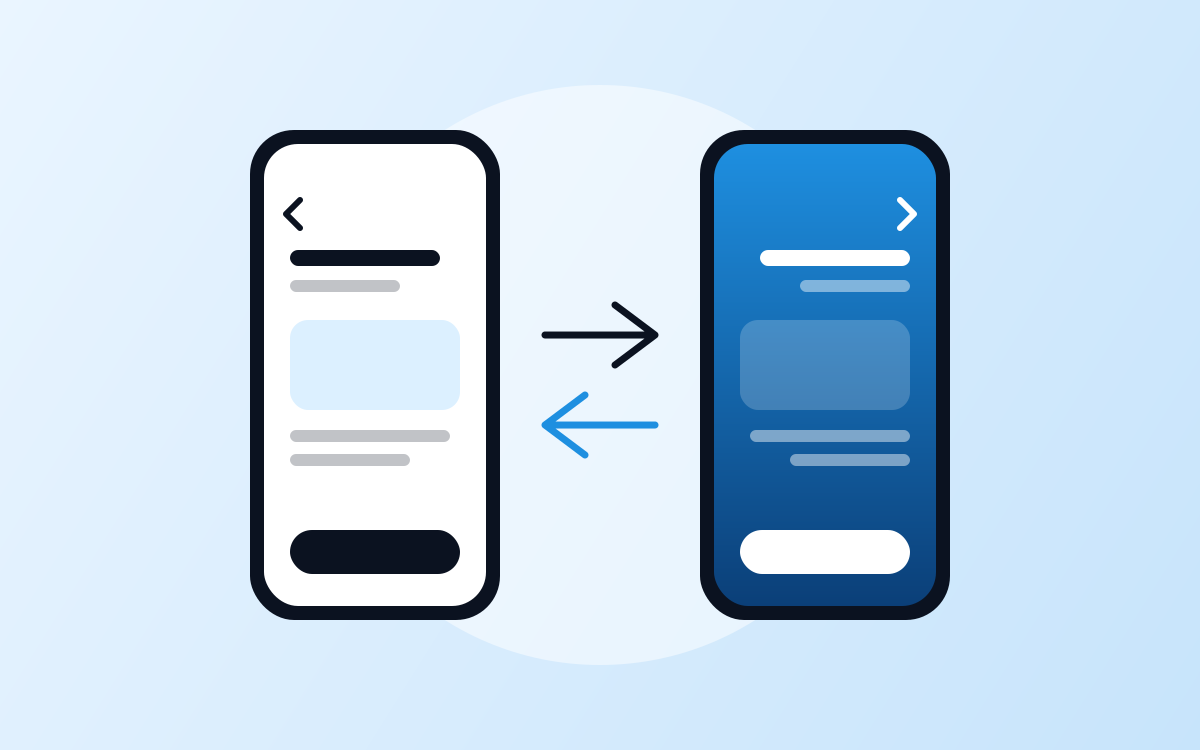
In Arabic, the whole interface reads from right to left. Navigation starts on the right, back buttons point right, and progress moves leftwards. But not everything should flip:
| Element | Mirror it? | Why |
|---|---|---|
| Layout, padding and alignment | Yes | Reading flow starts on the right |
| Back and forward arrows | Yes | They point in the direction of travel |
| Progress bars and sliders | Yes | Progress follows reading direction |
| Media play and seek controls | No | They represent the direction of time on the media |
| Logos and brand marks | No | Brand assets keep their original form |
| Numbers, phone numbers and codes | No | They are read left to right even in Arabic text |
| Checkmarks and clocks | No | They are not directional |
How should you choose and size Arabic fonts?
Pick a font family designed for Arabic, ideally with a matching Latin design so both languages feel like one brand. Arabic script has taller ascenders, descenders and diacritics, so it usually needs more line height than English at the same size. Never apply letter-spacing to Arabic text, because it breaks the connections between letters, and avoid all-caps styling patterns that have no Arabic equivalent.
How should apps handle numbers, dates and currency?
Format everything through the platform's localisation libraries rather than by hand:
- Numerals — many UAE apps use Western digits (0–9) in both languages, while some prefer Eastern Arabic digits in Arabic. Make it a setting driven by locale, not hard-coded text.
- Dates — support the Gregorian calendar everywhere, and the Hijri calendar where your audience expects it, such as religious or government contexts.
- Currency — format dirham amounts through the platform's localisation libraries so symbols, separators and placement are correct in each language.
What about mixed Arabic and English text?
Real content mixes directions: English brand names, email addresses and phone numbers inside Arabic sentences. Platforms handle most of this automatically, but forms need care. Email, password, URL and phone fields should stay left-to-right even in the Arabic interface, while name and address fields follow the user's language. Test with realistic mixed content, not placeholder text.
How do Flutter, React Native and native apps handle RTL?
All major approaches support right-to-left well when used correctly:
| Framework | How RTL works |
|---|---|
| iOS (SwiftUI) | Layout direction follows the language automatically; use leading and trailing rather than left and right |
| Android (Jetpack Compose) | Layouts mirror automatically when using start and end instead of left and right |
| Flutter | Directionality follows the locale; use directional padding and alignment throughout |
| React Native | Supports forcing or allowing RTL; use start and end styles and test after a full app restart |
Which payments, identity and data rules apply in the UAE?
Most UAE apps combine Apple Pay and Google Pay with a local gateway such as Network International, Telr or PayTabs, and many add buy-now-pay-later options such as Tabby or Tamara. Products that need verified identity can integrate UAE PASS once approved by its programme. Personal data is governed by the UAE Personal Data Protection Law, with separate rules for companies in the DIFC and ADGM free zones.
What should you test before every release?
Use a checklist on real devices, not just simulators:
- Every screen in both languages, including empty, error and loading states.
- Long Arabic strings that wrap, truncate or overflow buttons.
- Mixed-direction content such as emails, prices and phone numbers.
- Gestures and animations that should follow reading direction.
- Store listings, screenshots and notifications in both languages.
Frequently asked questions
Should a UAE app default to Arabic or English?
The best default follows the user's device language, with an easy switch inside the app that is remembered for next time. If your audience is mainly Emirati citizens or government-facing, Arabic is often the right fallback; for expatriate-heavy consumer and business apps, English is common. Use your own analytics and research to decide, and never hide the language switch deep in settings.
Is it expensive to add Arabic to an existing app?
It depends on how the app was built. If layouts use start and end alignment and text lives in translation files, adding Arabic is mostly translation, font work and testing. If text is hard-coded and layouts assume left-to-right everywhere, many screens need rework. A short audit of the codebase gives you a reliable estimate before you commit to the work.
Which fonts work well for Arabic apps?
Choose a family designed for Arabic with a matching Latin companion, so both languages feel consistent. Several high-quality open-source families support Arabic and Latin together, and many brands commission or license a custom typeface. Whatever you choose, test it at small sizes, check diacritics are not clipped, increase line height for Arabic, and confirm the licence covers mobile app use.
Do I need separate App Store listings for Arabic?
You do not need separate apps, but you should localise your existing listing. Both App Store Connect and the Google Play Console let you add Arabic titles, descriptions, keywords and screenshots alongside English. Arabic screenshots should show the right-to-left interface, not English screens with translated captions. Localised listings help Arabic-speaking users find the app in search and trust it more quickly.
Can Flutter and React Native handle right-to-left properly?
Yes, both support right-to-left layouts well, and many bilingual Arabic apps are built with them. Success depends on discipline: using start and end alignment instead of left and right, directional padding, mirrored icons where appropriate, and testing every screen in Arabic. Problems usually come from hard-coded values or third-party components that ignore text direction, so review them early in the project.